Download Client
Choose your operating system to get started.
Windows
Windows 10 / 11 · Portable EXE
Intel / AMD ARM64macOS
macOS 13 or later · ZIP
Apple Silicon IntelFirst time on Mac?
- Unzip, move to Applications, then right-click BimmerCoded Remote Coding Client → Open.
- If blocked: System Settings → Privacy & Security → Open Anyway. Confirm Open for your trusted download.
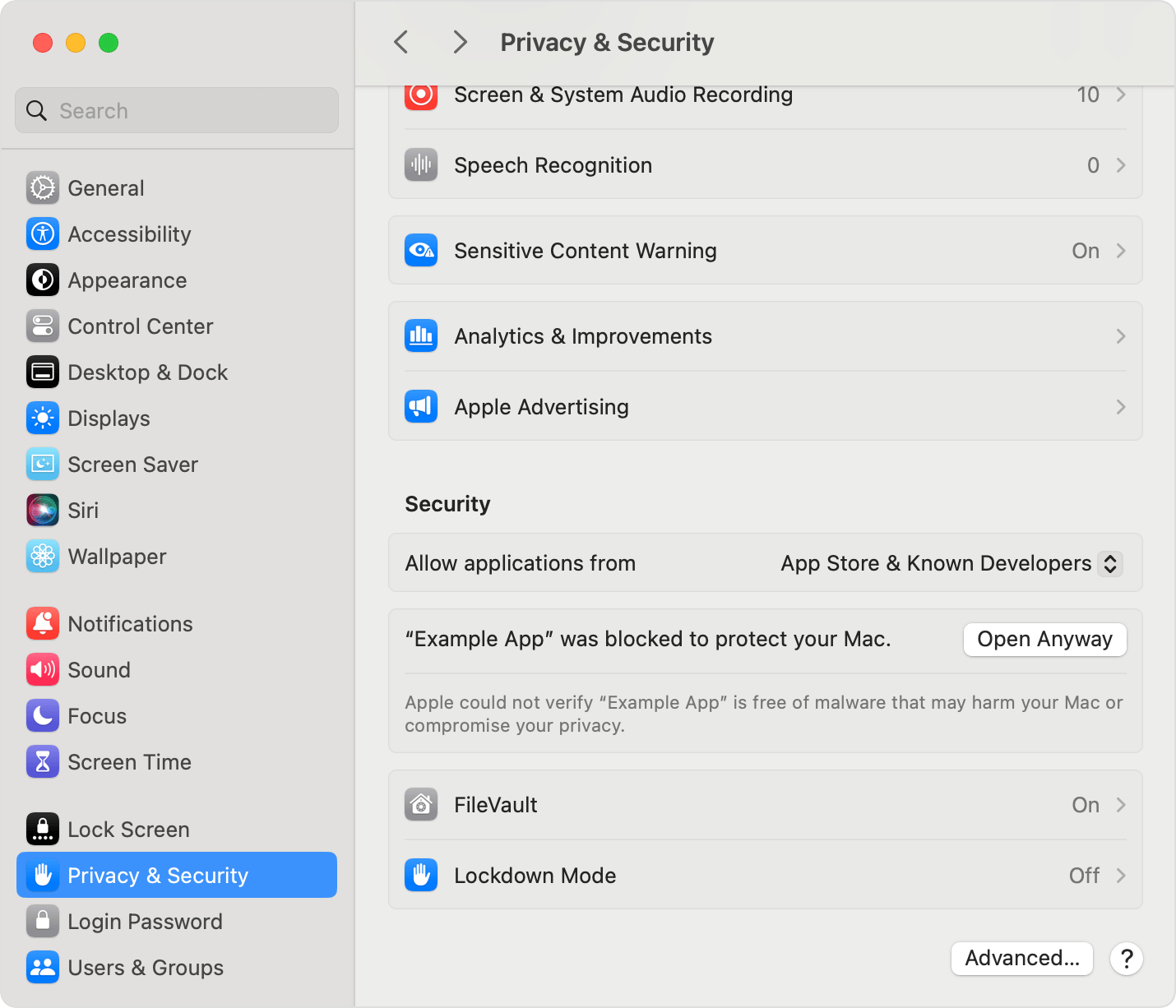
Click to enlarge. Look for BimmerCoded Remote Coding Client in place of “Example App”.
Client download · 27 October 2026
Windows builds are unsigned; Mac builds are not notarized.
Your system may ask you to
approve opening the app.